As an Amazon Associate, we earn from qualifying purchases.

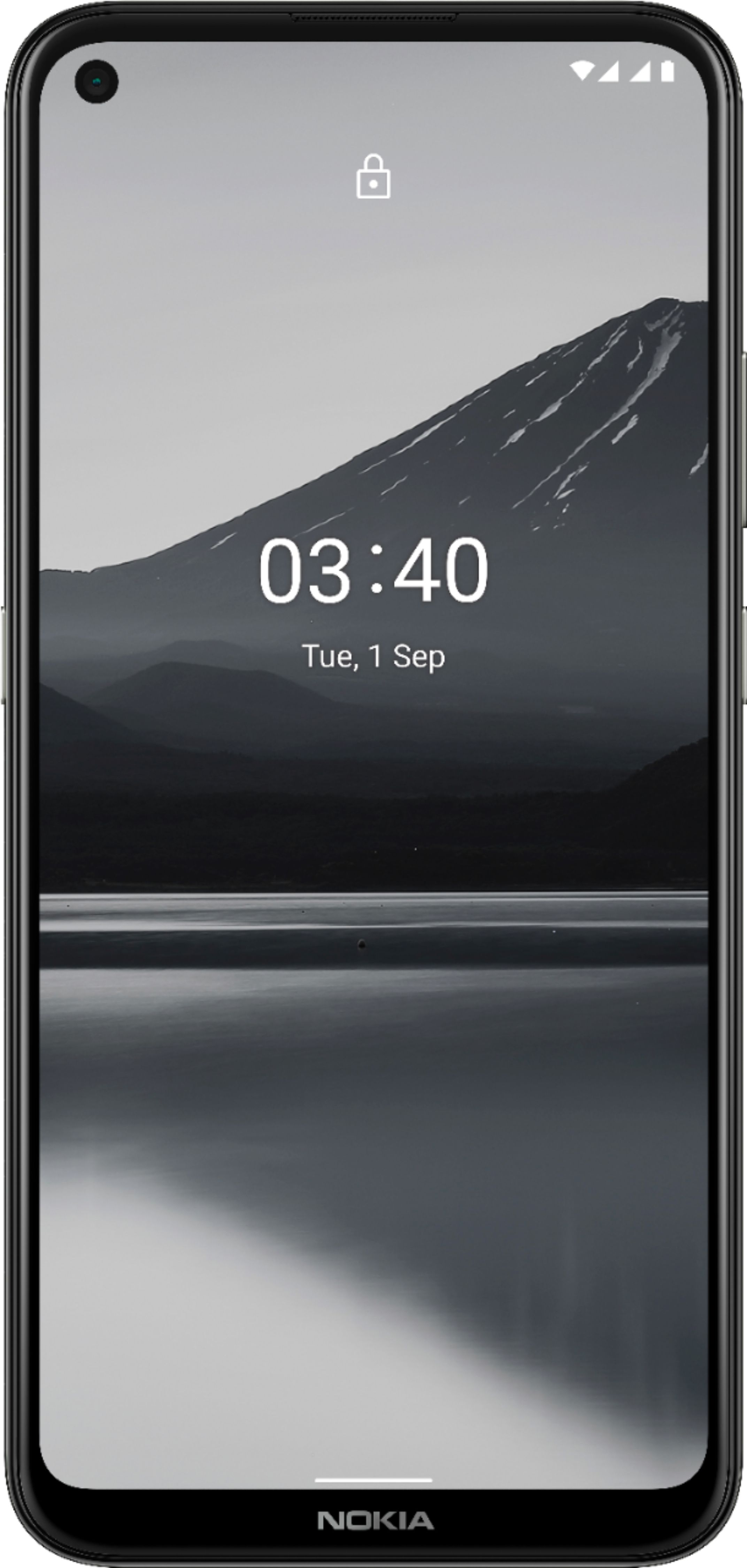
Nokia . TA-1285

Gallery

Attributes

Brand name, Manufacturer name, BrandNokia
ManufacturerNokia HMD HMD Global Qualcomm
moq, multiple, tierMinQty1, Item_package_quantity, Memory_slots_available, Number_of_items, Number_of_lithium_ion_cells, PackageQuantity, Quantity1
MPN, ModelNumber, Model_number, Mpns, PartNumber, Part_numberTA-1285
qtyInStock-2
SKU10080361
tierPrice1154.99
AdultProduct, Autographed, Memorabilia, TradeInEligibleFalse
AsinB08MWRCZL8 B08MWX1THP B0B6QJY1D4
Aspectexception proper_shipping_name regulatory_packing_group transportation_regulatory_class united_nations_regulatory_id
Average_life, Photo_sensor_resolution2.0
Batteries_included, Batteries_required, Gps_navigationTrue
Biometric_security_featureFingerprint Recognition
Bullet_pointCharge less and get up to two days on a single charge with the Adaptive Battery. Capture the perfect shot with triple camera AI imaging, Portrait mode, Night mode and the ultra-wide lens. Charge less and get up to two days on a single charge with the adaptive battery. capture the perfect shot with triple camera ai imaging, portrait mode, night mode and the ultrawide lens. Compatibility: This device is designed to work with GSM carriers. This product will not support Verizon or Verizon subsidiaries. Please confirm compatibility with your chosen carrier before purchasing. For support with SIM card or network related issues, please contact your carrier for assistance in connecting your device to the chosen compatible network. Enjoy all your favorite entertainment in 6.39-inch immersive HD+ with punch hole display for maximized screen real estate. Enjoy all your favorite entertainment in 6.39-inch immersive hd+ with punch hole display for maximized screen real estate. Get up to 70% better performance compared to previous generations, thanks to the newest Qualcomm Snapdragon 460 mobile platform. Get up to 70% better performance compared to previous generations, thanks to the newest qualcomm snapdragon 460 mobile platform..Form_factor : Slate.Display resolution maximum:720 x 1560 pixels Take in a truly timeless design that's built to last, with a durable 3D Nano-textured rear cover and stunning finish in living colors. Take in a truly timeless design that's built to last, with a durable 3d nano-textured rear cover and stunning finish in living colors.
Camera_descriptionFront Rear
Cell_compositionlithium_ion lithium_polymer
Cellular_technologyGSM, LTE, WCDMA GSM, WCDMA, LTE LTE
ClassificationId7072561011
ColorCharcoal Dusk Fjord Blue
Connectivity_technologyBluetooth Wi-Fi
Connector_typeUSB Type C
Control_methodvoice
Cpsia_cautionary_statementno_warning_applicable
CurrencyUSD
DescriptionLithium-Ion
Digital_storage_capacity512.0
DisplayNameCell Phones
Effective_still_resolution13.0
Effective_video_resolution, Front_photo_sensor_resolution8.0
Energy_content, Power4000.0
Form_factorSlate Slider Smartphone
Hazmat9 AE_SmallLithiumIonBatteryInEquipment AU_SmallLithiumIonBatteryInEquipment BE_SmallLithiumIonBatteryInEquipment BR_SmallLithiumIonBatteryInEquipment CA_SmallLithiumIonBatteryInEquipment CN_SmallLithiumIonBatteryInEquipment DE_SmallLithiumIonBatteryInEquipment EG_SmallLithiumIonBatteryInEquipment ES_SmallLithiumIonBatteryInEquipment FR_SmallLithiumIonBatteryInEquipment GB_SmallLithiumIonBatteryInEquipment II IN_SmallLithiumIonBatteryInEquipment IT_SmallLithiumIonBatteryInEquipment JP_SmallLithiumIonBatteryInEquipment LITHIUM ION BATTERIES CONTAINED IN EQUIPMENT MX_SmallLithiumIonBatteryInEquipment NL_SmallLithiumIonBatteryInEquipment PL_SmallLithiumIonBatteryInEquipment SA_SmallLithiumIonBatteryInEquipment SE_SmallLithiumIonBatteryInEquipment SG_SmallLithiumIonBatteryInEquipment TR_SmallLithiumIonBatteryInEquipment UN3481 US_SmallLithiumIonBatteryInEquipment ZA_SmallLithiumIonBatteryInEquipment
Headphones_jack3.5 mm
Height0.342519 1.3399999986332 1080 1500 1546 18.1102 2.0 2048 302 33.6042 45 500 600 75 8.7
Human_interface_inputmicrophone touch_screen
Identification_number2AJOTTA-1285
Identifier6438409053183 6438409053619 6438409055156
IdentifierTypeEAN
Included_componentsAdapter Charger Nokia 3.4 smartphone Quick start guide SIM Tray Ejector SIM tray tool Type-C USB cable USB Cable
Installed_size, Memory_storage_capacity64.0
ItemClassificationBASE_PRODUCT
ItemName, Item_nameNokia 3.4 | Android 10 | Unlocked Smartphone | 2-Day Battery | US Version | 3/64GB | 6.39-Inch Screen | Triple Camera | Charcoal Nokia 3.4 | Android 10 | Unlocked Smartphone | 2-Day Battery | US Version | 3/64GB | 6.39-Inch Screen | Triple Camera | Fjord Blue Nokia 3.4 | Android 10 | Unlocked Smartphone | 2-Day Battery | US Version | 4G LTE | 3/64GB | 6.39-Inch Screen | Triple Camera | Dusk/Purple
Item_package_weight0.322 0.34 0.349
Item_type_keywordcell-phones unlocked-cell-phones
Item_weight180.0 6.35
Keyword5 PREMIUM EDITION DUAL SIM GLO NOKIA AI-1285
Length13.2299999865054 160.97 3.4036 6.3373889 7.1299999927274 9.0
Linkhttps://m.media-amazon.com/images/I/21PMUQU59BL._SL75_.jpg https://m.media-amazon.com/images/I/21PMUQU59BL.jpg https://m.media-amazon.com/images/I/31+-PCohxrL._SL75_.jpg https://m.media-amazon.com/images/I/31+-PCohxrL.jpg https://m.media-amazon.com/images/I/3163tIFbWJL._SL75_.jpg https://m.media-amazon.com/images/I/3163tIFbWJL.jpg https://m.media-amazon.com/images/I/31ADLgt628L._SL75_.jpg https://m.media-amazon.com/images/I/31ADLgt628L.jpg https://m.media-amazon.com/images/I/31dBoFwB1hL._SL75_.jpg https://m.media-amazon.com/images/I/31dBoFwB1hL.jpg https://m.media-amazon.com/images/I/31zX-dXiL5L._SL75_.jpg https://m.media-amazon.com/images/I/31zX-dXiL5L.jpg https://m.media-amazon.com/images/I/41+Ui86vEvL._SL75_.jpg https://m.media-amazon.com/images/I/41+Ui86vEvL.jpg https://m.media-amazon.com/images/I/411mMOjFGmL._SL75_.jpg https://m.media-amazon.com/images/I/411mMOjFGmL.jpg https://m.media-amazon.com/images/I/414zdHQit0L._SL75_.jpg https://m.media-amazon.com/images/I/414zdHQit0L.jpg https://m.media-amazon.com/images/I/417BtyiNUFL._SL75_.jpg https://m.media-amazon.com/images/I/417BtyiNUFL.jpg https://m.media-amazon.com/images/I/41921-0hskL._SL75_.jpg https://m.media-amazon.com/images/I/41921-0hskL.jpg https://m.media-amazon.com/images/I/41H3YFC40uL._SL75_.jpg https://m.media-amazon.com/images/I/41H3YFC40uL.jpg https://m.media-amazon.com/images/I/41I0OHvNaxL._SL75_.jpg https://m.media-amazon.com/images/I/41I0OHvNaxL.jpg https://m.media-amazon.com/images/I/41LJYtpaY2L._SL75_.jpg https://m.media-amazon.com/images/I/41LJYtpaY2L.jpg https://m.media-amazon.com/images/I/41QT3bSXSYL._SL75_.jpg https://m.media-amazon.com/images/I/41QT3bSXSYL.jpg https://m.media-amazon.com/images/I/41RMLhYQWiL._SL75_.jpg https://m.media-amazon.com/images/I/41RMLhYQWiL.jpg https://m.media-amazon.com/images/I/41X4kHWOG6L._SL75_.jpg https://m.media-amazon.com/images/I/41X4kHWOG6L.jpg https://m.media-amazon.com/images/I/41bTBP4X+oL._SL75_.jpg https://m.media-amazon.com/images/I/41bTBP4X+oL.jpg https://m.media-amazon.com/images/I/41hTQ8ic4eL._SL75_.jpg https://m.media-amazon.com/images/I/41hTQ8ic4eL.jpg https://m.media-amazon.com/images/I/41lkc9BUExL._SL75_.jpg https://m.media-amazon.com/images/I/41lkc9BUExL.jpg https://m.media-amazon.com/images/I/41stI5FqUCL._SL75_.jpg https://m.media-amazon.com/images/I/41stI5FqUCL.jpg https://m.media-amazon.com/images/I/51NHYL2C2DL._SL75_.jpg https://m.media-amazon.com/images/I/51NHYL2C2DL.jpg https://m.media-amazon.com/images/I/51SxTAP6O4L.jpg https://m.media-amazon.com/images/I/51kyF8SPo0L._SL75_.jpg https://m.media-amazon.com/images/I/51kyF8SPo0L.jpg https://m.media-amazon.com/images/I/51lDgUjaRfL.jpg https://m.media-amazon.com/images/I/61212mlHPVL.jpg https://m.media-amazon.com/images/I/61FjL+ChapL.jpg https://m.media-amazon.com/images/I/61HuJdZMJZL.jpg https://m.media-amazon.com/images/I/61Kg3HZf2PL.jpg https://m.media-amazon.com/images/I/61KkaQlCXuL.jpg https://m.media-amazon.com/images/I/61T7Un4rOsL.jpg https://m.media-amazon.com/images/I/61diGj9FBFL.jpg https://m.media-amazon.com/images/I/61hB7i2DHFL.jpg https://m.media-amazon.com/images/I/61iaGewkmoL.jpg https://m.media-amazon.com/images/I/61jQfE24NeL.jpg https://m.media-amazon.com/images/I/61pkUONgacL.jpg https://m.media-amazon.com/images/I/61tfjT0SCcL.jpg https://m.media-amazon.com/images/I/61zP11faHlL.jpg https://m.media-amazon.com/images/I/711UAjTbyfL.jpg https://m.media-amazon.com/images/I/71B-dGPwlzL.jpg https://m.media-amazon.com/images/I/71PEYWQXoFL.jpg https://m.media-amazon.com/images/I/71PtlmQzNyL.jpg https://m.media-amazon.com/images/I/71aRIzLxx8L.jpg https://m.media-amazon.com/images/I/71pHJBIR9WL.jpg https://m.media-amazon.com/images/I/71zPeo0kvtL.jpg
List_price0.0 129.99 179.0
Model_name3 3.4
Model_year2020
Name, ThemeCOLOR_NAME
Operating_systemAndroid 10.0
Package_levelunit
Packagingbatteries_contained_in_equipment
ParentAsinsB08P3CR1JR
ProductTypeCELLULAR_PHONE
Product_descriptionUpgrade to more phone and more power with Nokia 3.4. Maximize your streaming, binging and work on a 6.39-inch HD+ screen--with punch hole display that gives you even more screen real estate. Don't sweat running out of juice with 2-day battery life. Get the perfect shot with powerful triple camera AI imaging--and take photos to the next level with Portrait mode, Night mode, and an ultra-wide camera. Nokia 3.4 gives you style and durability all in one, plus easy access with fingerprint unlock. Plus, you can enjoy the latest Android features and security with 3 years of monthly security updates and 2 years of software upgrades. Which means you'll get more out of your phone, for longer. HMD Global Oy is the exclusive licensee of the Nokia brand for phones & tablets. Nokia is a registered trademark of Nokia Corporation. Compatibility: This device is designed to work with GSM carriers. This product will not support Verizon or Verizon subsidiaries. Please confirm compatibility with your chosen carrier before purchasing. For support with SIM card or network related issues, please contact your carrier for assistance in connecting your device to the chosen compatible network. Supported Network bands: 2G: 850 / 900 / 1800 /1900 3G: 850 / 900 / 1700(AWS) / 1900 / 2100 4G/LTE: 1, 2, 3, 4, 5, 7, 8, 12, 17, 13, 28, 66 Charging: This product is designed to be charged using the charging adapter and charging cable that are provided in the product box. Charging this device with any other charging adapter or cable may cause device malfunction. Please observe basic safety steps when charging this device and do not charge this product with malfunctioning or damaged equipment. Current Software Version: Android 10 Bluetooth Version/Range: 4.2 – 30’ Range FAQ How can I install available updates? In many cases updating your product to the latest software version will alleviate any issues experienced. To update your device please navigate to Settings > System > System update > Check for update to check if updates are available. Follow the on screen prompts to install the latest software version if available.= How can I close an app that has stopped working? Open Settings on your phone and select Apps. Then find the app you're having issues with and select Force Stop. I want to conserve battery life. How can I activate the Power Saver mode? On your phone, open Settings, then choose and activate Battery Power Saving. Please also be aware that battery life depends on a variety of factors such as device usage frequency, application requirements, your current operating system, and cellular signal strength. How can I back up my files? Navigate to Settings > System > Backup, and switch backup on. How can I reset my smartphone's network settings? Navigate to Settings > Network & Internet > more_vert > Reset. Performing this reset may help if you're having connection issues. How do I connect my phone to my carrier network? If your Nokia phone and network are compatible, place your SIM card in the SIM card tray using the included SIM card removal tool to open the SIM tray. Once your SIM card has been inserted into the device, power on your phone and proceed through the product setup steps. If you are not able to connect to your network after finalizing the product setup, please contact your carrier support for additional assistance as every carrier has different steps to assist you in ensuring your product connects to their compatible network. How can I ensure other people hear me on my microphone? If you are experiencing microphone issues with your device and your product has a Google Assistant button, please ensure that the Google Assistant button is not stuck or dirty as this will cause the microphone to not function as intended. If the Google Assistant button is not obstructed, please ensure that there is no dirt or debris in the headphone port of your product. If the headphone port is also clear, please disable the microphone permission of the Google Assistant, by going to Settings > Apps & Notifications > Google App > Permission > Microphone > Deny. How can I turn up the volume to my speaker? First, please ensure that there is no dirt or debris in the headphone port of your product. If your headphone port is clear, please make sure that “Do Not Disturb” is not enabled. To disable this setting, navigate to Settings > Do not disturb. Make sure this is toggled off. If Do Not Disturb is off, navigate to Settings > Sounds and vibration > Volume > move the Media slider to the right to increase volume and test your speaker. If you are still not able to hear any audio, check the settings of the application that you are using from the Settings menu as many applications will have their own volume settings. Why is my phone feeling warm, closing apps or occasionally slowing down? During extended operation, the device may feel warm. In most cases, this is normal. To avoid getting too warm, the device may automatically slow down, dim display during a video call, close apps, switch off charging, and if necessary, switch itself off. If the device is not working properly, take it to the nearest authorized service facility. How do I reboot my smartphone when it’s not responding? If your phone is unresponsive, you can perform a “soft reset” by pressing the volume up key and the power button simultaneously for about 15 seconds (or until phone vibrates). Your phone should then restart momentarily. This is a safe and quick way to reboot your device without losing or erasing any data. My phone won’t charge. What should I do? First ensure the issue isn't with the power source or socket you're using - you can quickly check this by plugging your phone into a different outlet, then checking if it charges. If the socket is not the issue, try taking a closer look at the power cable or charging port on your phone, ensuring everything appears as it should. Then, try turning your phone off completely and plugging it into the socket - bear in mind if the battery is completely drained, it might take up to 2 or 3 minutes to start charging. How can I contact support? Our customer support page offers a number of ways that you can contact support. Please visit the Nokia website for further assistance. How do I fix touch sensitivity issues on my phone? Before performing any additional troubleshooting steps, please ensure that your product does not show any physical damage, has not been exposed to water, the screen is clean, and your fingers and hands are not wet or dirty. Please also remove any 3rd party screen protectors that you may have on the device as non Nokia branded screen protectors may decrease the touch sensitivity of the device. If none of these solutions resolve the issue that you are facing, please perform a hard reset back to factory settings. Please note: a hard reset will completely erase all the data, settings and content on your smartphone, returning it to the original factory settings. We strongly advise that you back up your device before a hard reset. Visit here to learn more about how to back up your smartphone remotely. To reset your smartphone and erase all its content, first make sure your phone is connected to a power source. We also recommend that your battery is at least 50% charged when you perform a hard reset. Press the volume up key and the power button simultaneously for about 30 seconds or until the root menu appears. Then choose the action you want to take from the root menu, in this case “Wipe data/factory reset”. Alternatively, you can also perform a hard reset by tapping Settings > Backup & Reset > Factory data reset > Reset phone > Erase everything.
Product_site_launch_date2020-11-06T08:00:01.000Z 2022-07-16T22:50:51.389Z
Registration_statushas_fcc_id
ReleaseDate2020-12-07
Resolution, Resolution_maximum720 x 1560
Service_providerAT&T, T-Mobile, Cricket, Tracfone, Simple Mobile, Mint, Ultra Mobile
Shooting_modesNight Mode Portrait
Sim_card_sizenano
Sim_card_slot_countsingle_sim
Size3.0 6.39
Special_featureBluetooth Enabled Dual Camera Text/Messaging Touchscreen
Street_date2020-12-07T00:00:01Z
StrippedMpnsTA1285
Supplier_declared_dg_hz_regulationnot_applicable transportation
Target_regionNorth America
Telephone_typeNano
TypeLCD VARIATION ean lithium_ion product_specific
UnitGB centimeters days grams inches kilograms megapixels milliamp_hours milliampere_hour millimeters ounces pixels pounds unknown_modifier watt_hours
VariantMAIN PT01 PT02 PT03 PT04 PT05 PT06 PT07 PT08
VariationThemecolor
Version_for_countryUS
Warranty_description1 Year Manufacturer Warranty
Water_resistance_levelnot_water_resistant water_resistant
WebsiteDisplayGroupwireless_display_on_website
WebsiteDisplayGroupNameWireless
Weight0.3968320716 0.396875 0.70988848364 0.7495716908 0.76941329438 25.0 29.0 55.7
Width14.5034 14.7066 1500 1788 2.9917263 2048 2560 5.7099999941758 5.7899999940942 500 600 7.0 75 75.99
Wireless_network_technologyGSM LTE wifi
Wireless_providerunlocked

Distributor offers

SellerSKUMOQIn stockMultiplePrices
Frys100803611-211 @ $154.99
Best Buy645385211
Best Buy6440229111 @ $179.99

Related on Amazon

As an Amazon Associate, we earn from qualifying purchases. (paid link) CERTAIN CONTENT THAT APPEARS ON THIS SITE COMES FROM AMAZON. THIS CONTENT IS PROVIDED 'AS IS' AND IS SUBJECT TO CHANGE OR REMOVAL AT ANY TIME.

Nokia 3.4 | Android 10 | Unlocked Smartphone | 2-Day Battery | US Version | 3/64GB | 6.39-Inch Screen | Triple Camera | Charcoal
Brand: Nokia
Details
  • Get up to 70% better performance compared to previous generations, thanks to the newest Qualcomm Snapdragon 460 mobile platform.
  • Enjoy all your favorite entertainment in 6.39-inch immersive HD+ with punch hole display for maximized screen real estate.
  • Charge less and get up to two days on a single charge with the Adaptive Battery. Capture the perfect shot with triple camera AI imaging, Portrait mode, Night mode and the ultra-wide lens.
  • Take in a truly timeless design that's built to last, with a durable 3D Nano-textured rear cover and stunning finish in living colors.
  • Compatibility: This device is designed to work with GSM carriers. This product will not support Verizon or Verizon subsidiaries. Please confirm compatibility with your chosen carrier before purchasing. For support with SIM card or network related issues, please contact your carrier for assistance in connecting your device to the chosen compatible network.
Analytics
Case Qty1 units
View on Amazon (paid link)
Nokia 3.4 | Android 10 | Unlocked Smartphone | 2-Day Battery | US Version | 3/64GB | 6.39-Inch Screen | Triple Camera | Fjord Blue
Brand: Nokia
Details
  • Get up to 70% better performance compared to previous generations, thanks to the newest qualcomm snapdragon 460 mobile platform..Form_factor : Slate.Display resolution maximum:720 x 1560 pixels
  • Enjoy all your favorite entertainment in 6.39-inch immersive hd+ with punch hole display for maximized screen real estate.
  • Charge less and get up to two days on a single charge with the adaptive battery. capture the perfect shot with triple camera ai imaging, portrait mode, night mode and the ultrawide lens.
  • Take in a truly timeless design that's built to last, with a durable 3d nano-textured rear cover and stunning finish in living colors.
  • Compatibility: This device is designed to work with GSM carriers. This product will not support Verizon or Verizon subsidiaries. Please confirm compatibility with your chosen carrier before purchasing. For support with SIM card or network related issues, please contact your carrier for assistance in connecting your device to the chosen compatible network.
Analytics
Case Qty1 units
View on Amazon (paid link)
Nokia 3.4 | Android 10 | Unlocked Smartphone | 2-Day Battery | US Version | 4G LTE | 3/64GB | 6.39-Inch Screen | Triple Camera | Dusk/Purple
Brand: Nokia
Upgrade to more phone and more power with Nokia 3.4. Maximize your streaming, binging and work on a 6.39-inch HD+ screen--with punch hole display that gives you even more screen real estate. Don't sweat running out of juice with 2-day battery life. Get the perfect shot with powerful triple camera AI imaging--and take photos to the next level with Portrait mode, Night mode, and an ultra-wide camera. Nokia 3.4 gives you style and durability all in one, plus easy access with fingerprint unlock. Plus, you can enjoy the latest Android features and security with 3 years of monthly security updates and 2 years of software upgrades. Which means you'll get more out of your phone, for longer. HMD Global Oy is the exclusive licensee of the Nokia brand for phones & tablets. Nokia is a registered trademark of Nokia Corporation. Compatibility: This device is designed to work with GSM carriers. This product will not support Verizon or Verizon subsidiaries. Please confirm compatibility with your chosen carrier before purchasing. For support with SIM card or network related issues, please contact your carrier for assistance in connecting your device to the chosen compatible network. Supported Network bands: 2G: 850 / 900 / 1800 /1900 3G: 850 / 900 / 1700(AWS) / 1900 / 2100 4G/LTE: 1, 2, 3, 4, 5, 7, 8, 12, 17, 13, 28, 66 Charging: This product is designed to be charged using the charging adapter and charging cable that are provided in the product box. Charging this device with any other charging adapter or cable may cause device malfunction. Please observe basic safety steps when charging this device and do not charge this product with malfunctioning or damaged equipment. Current Software Version: Android 10 Bluetooth Version/Range: 4.2 – 30’ Range FAQ How can I install available updates? In many cases updating your product to the latest software version will alleviate any issues experienced. To update your device please navigate to Settings > System > System update > Check for update to check if updates are available. Follow the on screen prompts to install the latest software version if available.= How can I close an app that has stopped working? Open Settings on your phone and select Apps. Then find the app you're having issues with and select Force Stop. I want to conserve battery life. How can I activate the Power Saver mode? On your phone, open Settings, then choose and activate Battery Power Saving. Please also be aware that battery life depends on a variety of factors such as device usage frequency, application requirements, your current operating system, and cellular signal strength. How can I back up my files? Navigate to Settings > System > Backup, and switch backup on. How can I reset my smartphone's network settings? Navigate to Settings > Network & Internet > more_vert > Reset. Performing this reset may help if you're having connection issues. How do I connect my phone to my carrier network? If your Nokia phone and network are compatible, place your SIM card in the SIM card tray using the included SIM card removal tool to open the SIM tray. Once your SIM card has been inserted into the device, power on your phone and proceed through the product setup steps. If you are not able to connect to your network after finalizing the product setup, please contact your carrier support for additional assistance as every carrier has different steps to assist you in ensuring your product connects to their compatible network. How can I ensure other people hear me on my microphone? If you are experiencing microphone issues with your device and your product has a Google Assistant button, please ensure that the Google Assistant button is not stuck or dirty as this will cause the microphone to not function as intended. If the Google Assistant button is not obstructed, please ensure that there is no dirt or debris in the headphone port of your product. If the headphone port is also clear, please disable the microphone permission of the Google Assistant, by going to Settings > Apps & Notifications > Google App > Permission > Microphone > Deny. How can I turn up the volume to my speaker? First, please ensure that there is no dirt or debris in the headphone port of your product. If your headphone port is clear, please make sure that “Do Not Disturb” is not enabled. To disable this setting, navigate to Settings > Do not disturb. Make sure this is toggled off. If Do Not Disturb is off, navigate to Settings > Sounds and vibration > Volume > move the Media slider to the right to increase volume and test your speaker. If you are still not able to hear any audio, check the settings of the application that you are using from the Settings menu as many applications will have their own volume settings. Why is my phone feeling warm, closing apps or occasionally slowing down? During extended operation, the device may feel warm. In most cases, this is normal. To avoid getting too warm, the device may automatically slow down, dim display during a video call, close apps, switch off charging, and if necessary, switch itself off. If the device is not working properly, take it to the nearest authorized service facility. How do I reboot my smartphone when it’s not responding? If your phone is unresponsive, you can perform a “soft reset” by pressing the volume up key and the power button simultaneously for about 15 seconds (or until phone vibrates). Your phone should then restart momentarily. This is a safe and quick way to reboot your device without losing or erasing any data. My phone won’t charge. What should I do? First ensure the issue isn't with the power source or socket you're using - you can quickly check this by plugging your phone into a different outlet, then checking if it charges. If the socket is not the issue, try taking a closer look at the power cable or charging port on your phone, ensuring everything appears as it should. Then, try turning your phone off completely and plugging it into the socket - bear in mind if the battery is completely drained, it might take up to 2 or 3 minutes to start charging. How can I contact support? Our customer support page offers a number of ways that you can contact support. Please visit the Nokia website for further assistance. How do I fix touch sensitivity issues on my phone? Before performing any additional troubleshooting steps, please ensure that your product does not show any physical damage, has not been exposed to water, the screen is clean, and your fingers and hands are not wet or dirty. Please also remove any 3rd party screen protectors that you may have on the device as non Nokia branded screen protectors may decrease the touch sensitivity of the device. If none of these solutions resolve the issue that you are facing, please perform a hard reset back to factory settings. Please note: a hard reset will completely erase all the data, settings and content on your smartphone, returning it to the original factory settings. We strongly advise that you back up your device before a hard reset. Visit here to learn more about how to back up your smartphone remotely. To reset your smartphone and erase all its content, first make sure your phone is connected to a power source. We also recommend that your battery is at least 50% charged when you perform a hard reset. Press the volume up key and the power button simultaneously for about 30 seconds or until the root menu appears. Then choose the action you want to take from the root menu, in this case “Wipe data/factory reset”. Alternatively, you can also perform a hard reset by tapping Settings > Backup & Reset > Factory data reset > Reset phone > Erase everything.
Details
  • Get up to 70% better performance compared to previous generations, thanks to the newest Qualcomm Snapdragon 460 mobile platform.
  • Enjoy all your favorite entertainment in 6.39-inch immersive HD+ with punch hole display for maximized screen real estate.
  • Charge less and get up to two days on a single charge with the Adaptive Battery. Capture the perfect shot with triple camera AI imaging, Portrait mode, Night mode and the ultra-wide lens.
  • Take in a truly timeless design that's built to last, with a durable 3D Nano-textured rear cover and stunning finish in living colors.
  • Compatibility: This device is designed to work with GSM carriers. This product will not support Verizon or Verizon subsidiaries. Please confirm compatibility with your chosen carrier before purchasing. For support with SIM card or network related issues, please contact your carrier for assistance in connecting your device to the chosen compatible network.
View on Amazon (paid link)